
TiendaFácil gives a small business an online store without the technical side: you create the store, load your products, choose how you get paid and how orders reach your customers, and your customers buy on the store's own address. Read this first to know what you can expect from it.
What you get
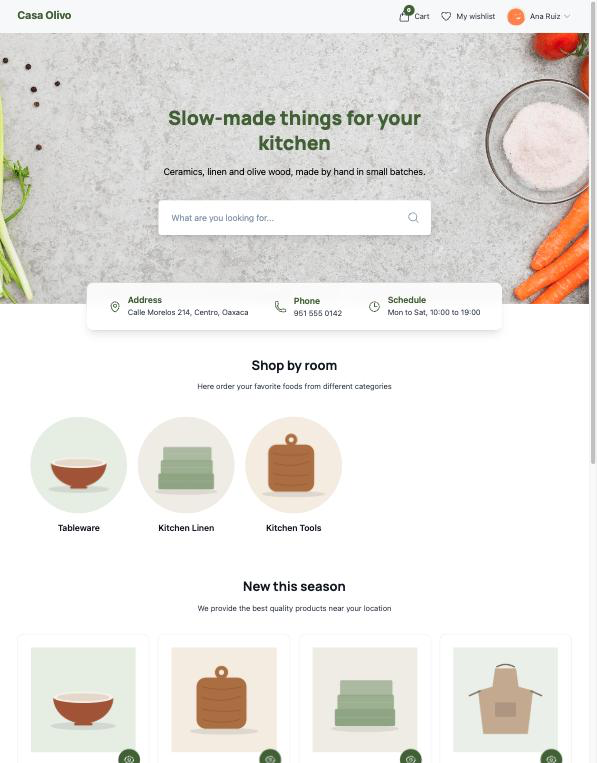
- A store with its own address. Each store has a public site with a home page, the product list, the categories, a page for each product, the cart, the checkout and a wishlist. It comes ready with a default design that you adjust with your logo, your colour, a background image and your business details. See Your storefront, and Connect your domain to choose its address.
- Your catalogue. Products with photos, price, category and stock, and optionally variants such as size or colour, each with its own price and stock. See Products and Variants and inventory.
- Orders in one list. Every purchase arrives under Sells → Orders with what was bought, who bought it, how it is paid and how it is delivered. See Orders.
- Payments. Mercado Pago, bank transfer with a proof of payment, and pay at pickup. See Get paid.
- Delivery. Pickup at your store locations, home delivery, intermediate points you define, and shipping with Skydropx parcel companies. See Shipping and pickup.
- Emails. Your customer and the people you choose on your team receive an email at each step of an order. See Order and stock emails.
Three ways to sell
TiendaFácil is meant for three ways of selling. There is no switch that picks one of them: you get each one by choosing the payment and delivery methods you turn on.
| Way of selling | What it means | How you set it up today |
|---|---|---|
| Catalogue | Customers look at your products and contact you to buy. | Every product page always shows Add to Cart, so a catalogue with no purchase is not possible yet. The closest is to keep your products without stock and let customers use Request product, which sends you their details. See Stock requests. |
| Pre-order | The customer builds a cart and sends the order; you confirm it and then deliver. | Turn on Pay At Pickup or Bank Transfer. The order arrives as Pending and you confirm the payment yourself with Register Payment. |
| Online payment | The customer pays on the spot. | Turn on Mercado Pago. The order arrives already paid. |
You can offer several payment methods at once; the customer picks one at checkout.
Parts that depend on your plan
Some functions only appear when your plan includes them, or when you add them as add-ons:
| Add-on | What it opens |
|---|---|
| Inventory | A stock quantity for each product and combination, which goes down with every order. |
| Product variants | Options and combinations on a product. |
| Measurement unit | Selling by square metre or by kilogram. |
| Delivery time | Days of preparation per product and the estimated date at checkout. |
| Limited time | Products that can only be bought between two dates. |
| Dynamic fields | Questions per product that the customer answers before adding it to the cart. |
| Mercado Pago | The Mercado Pago payment method. |
| Bank transfer | The bank transfer payment method. |
| Skydropx | Shipping with Skydropx parcel companies. |
Pay at pickup, pickup at your store, home delivery and intermediate points need no add-on.
What it does not do
- It only offers Mercado Pago, bank transfer and pay at pickup. There is no card payment of its own, no PayPal and no Stripe.
- It does not return money. Cancelling an order marks its payment as refunded, and the refund itself is yours to make.
- It does not tell a customer when a product is back in stock: you get their request and you contact them.
- It ships with Skydropx only inside the store's own Skydropx account, with the parcel companies you choose.