Your whole catalogue, the way you sell it
Load your products with their photos, prices and categories, sell them in sizes and colours, and let the store keep count of your stock.
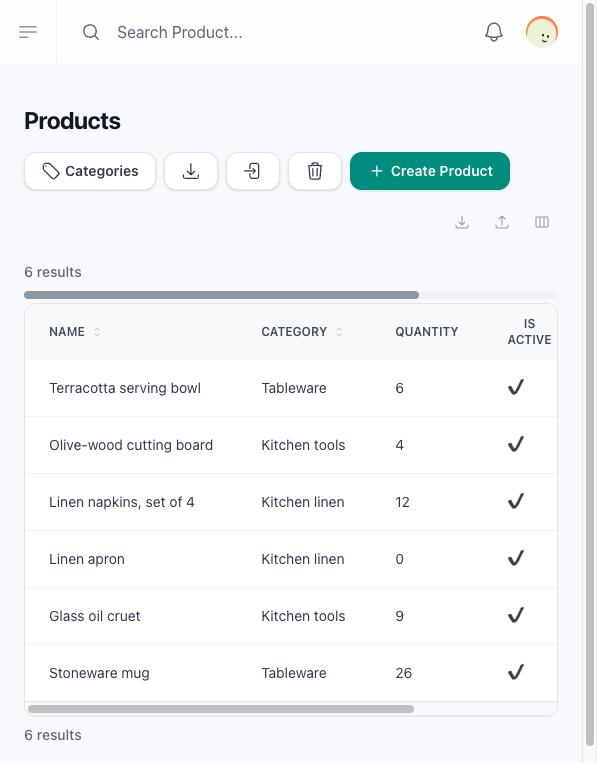
Every product in one list
See each product with its category, whether it is active and how many you have in stock. Switch a product off and it leaves your store without being deleted.
How to manage your products →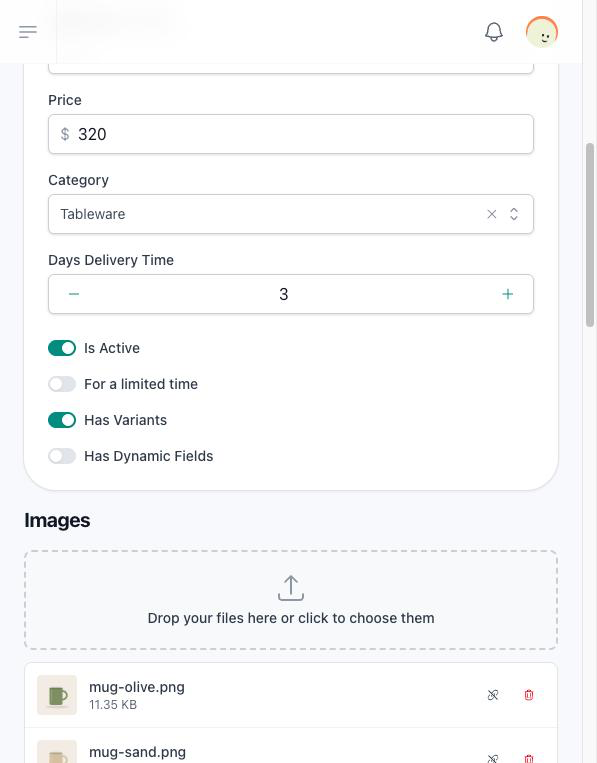
A product page with everything a customer asks
Give each product its name, price, description and photos, add details such as material or care as a list of descriptions, and its weight and measurements when you ship it.
What each field of the product form does →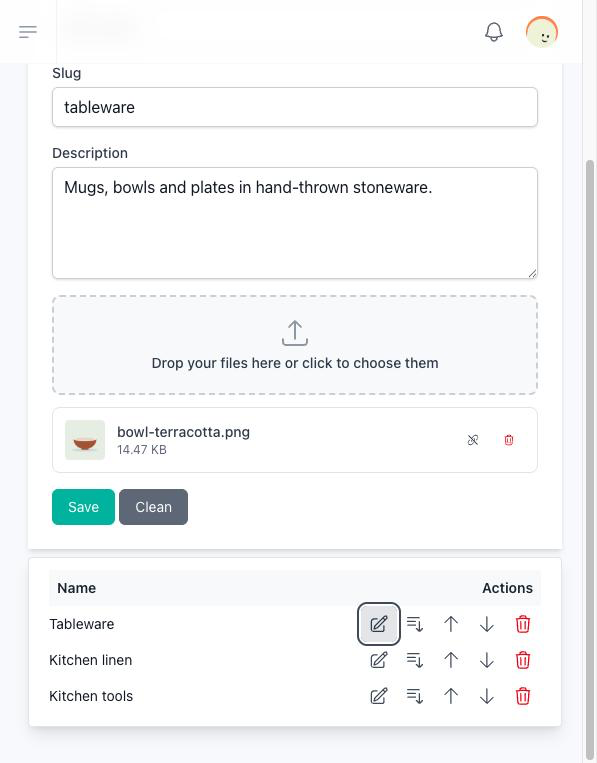
Group your products in categories
Create categories with a name and an image, nest one inside another, and your store lists every category with its products.
How categories work →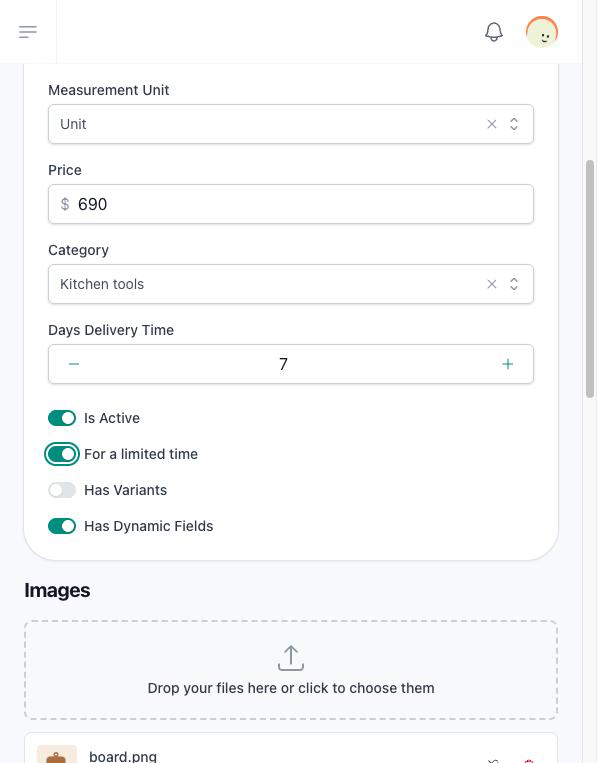
Sell by the unit, the square metre or the kilogram
With the add-ons of your plan, your customer types the measurements or the kilograms they want, sees the date the order will be ready, and buys a limited-time product only between the dates you set.
The options your plan opens →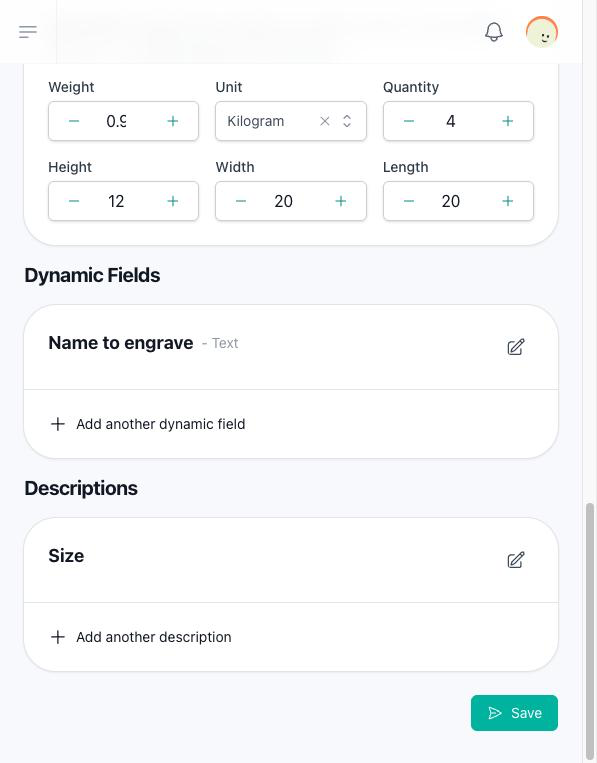
Ask your customer before they add to the cart
With the dynamic fields add-on, ask for a name to engrave, a date, a choice or a photo to print, and require the ones you cannot do without. The answers and the files travel with the order, next to the product.
How dynamic fields work →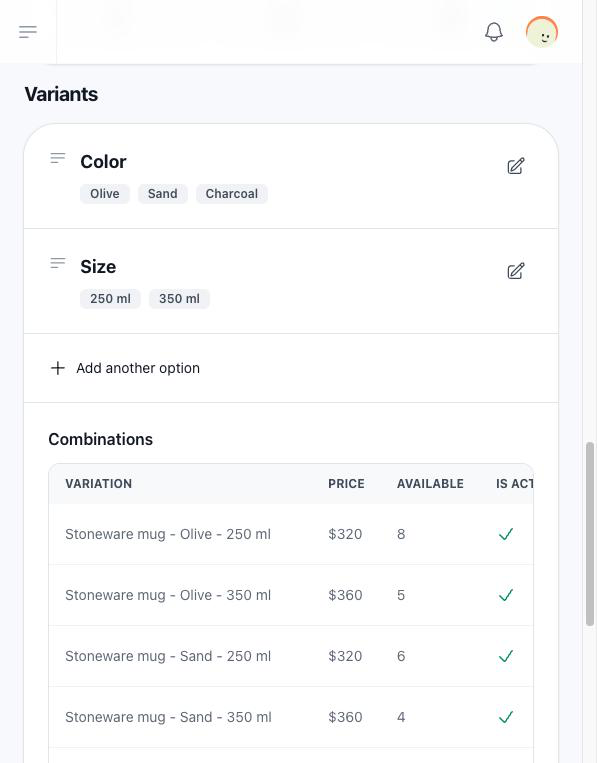
Sizes, colours and every combination
With the product variants add-on, write the options once and the store creates every combination, each with its own name, price and stock. Your customer picks one value of each option and sees its price.
How to set up variants →Stock that keeps its own count
With the inventory add-on, the quantities are reserved when your customer confirms the order and come back when the reservation expires or you cancel the order. A product without stock offers a request instead of the cart.
When stock goes down and comes back →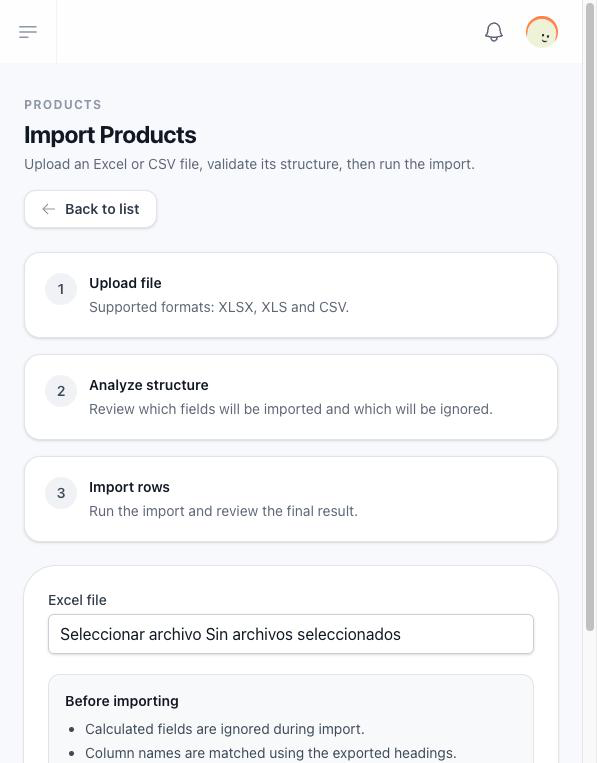
Your catalogue in and out of Excel
Download your products as a spreadsheet with their name, description, price and whether they are active, and create many products at once from a file with the same columns.
How to import and export products →