
Every store shows its prices in one currency, chosen from a catalogue that the platform's administrators keep in the admin panel. This guide covers that catalogue and how a store uses it.
The catalogue
Open Currencies in the admin panel. Each currency has:
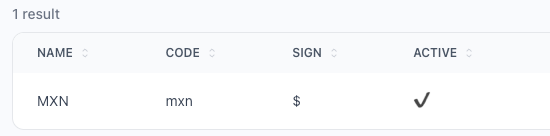
| Field | What it is |
|---|---|
| Name | The name stores see in their list, such as MXN. |
| Code | The code written after every price, in capitals, such as mxn, shown as MXN. |
| Sign | The sign written before every price, such as $. |
| Active | Saved with the currency. |
Managing the catalogue takes the currency permissions of the admin panel.
The currency the platform starts with
Seeding the database creates one currency, MXN, with the code mxn and the sign $, active. Seeding again updates it instead of creating a second one.
The currency of each store
- A new store takes the first currency of the catalogue.
- The store's owner changes it in Settings → General information → Currency, among every currency of the catalogue. It is required.
- Prices are written with the sign, the amount with two decimals and the code, such as
$1,250.00 MXN.
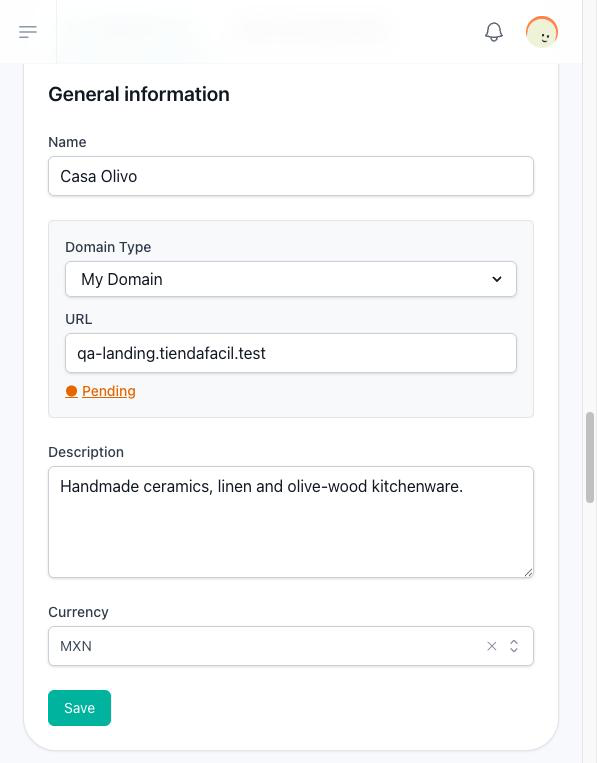
Changing a store's currency changes how its prices are written, not the amounts: no price is converted.